Stop fixing names one by one
Build the naming logic once, then apply it across the entire selection.
Work at batch scale IDENTIFILE
Intelligent file naming and organisation
Turn camera dumps, client deliveries, downloads and document piles into names that make sense—without editing files one by one.
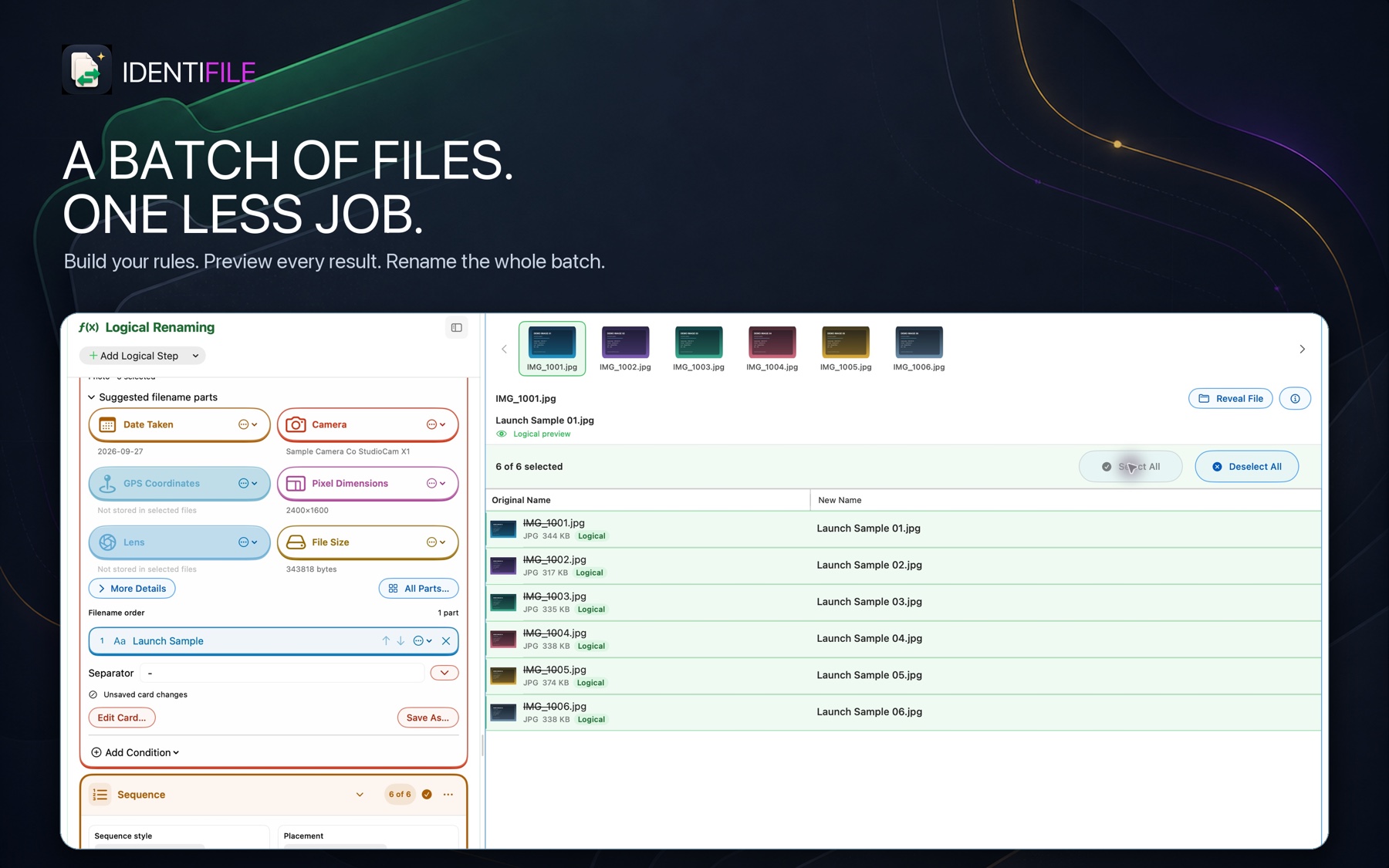
IMG_1001.jpg
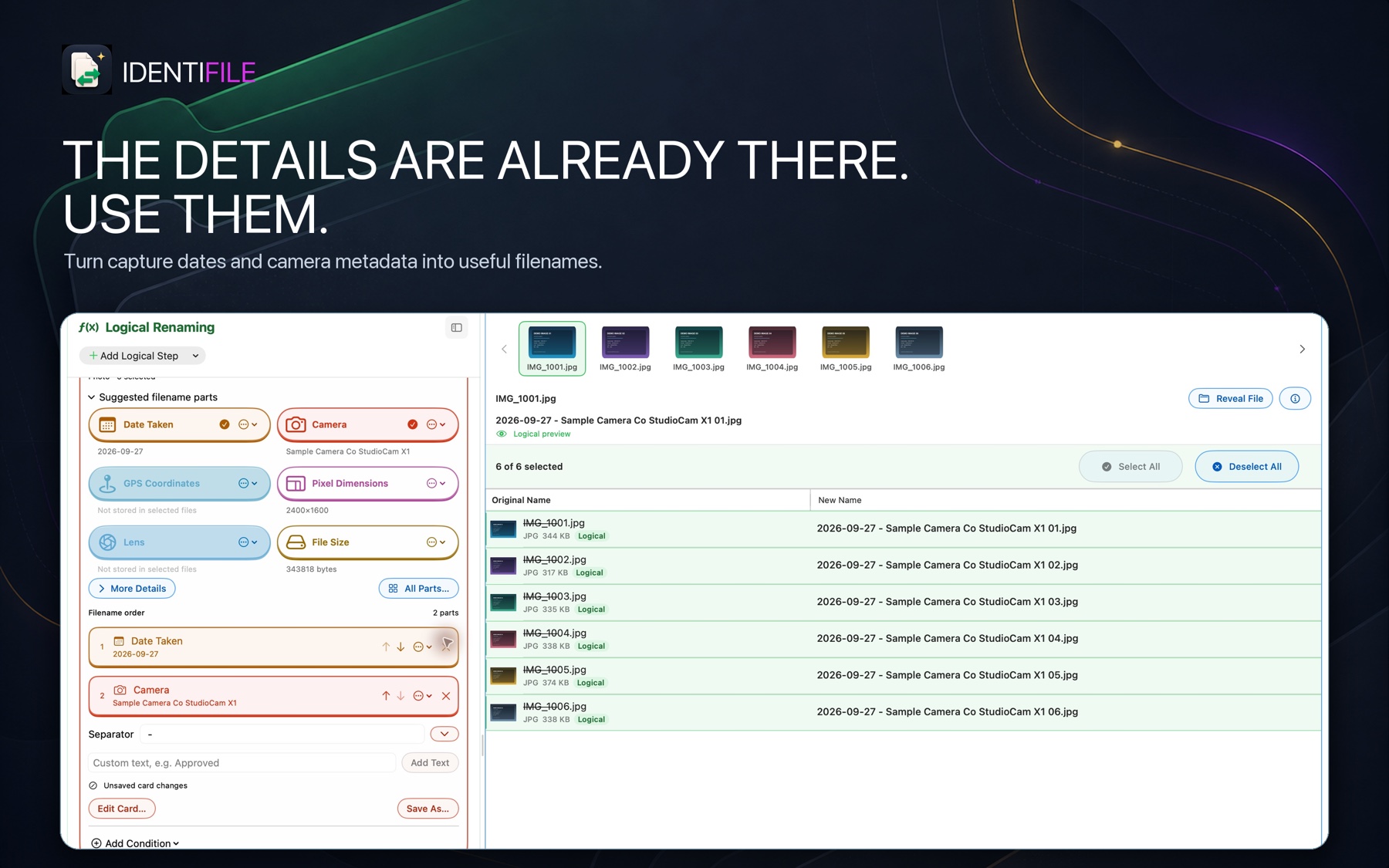
→2026-09-27 — StudioCam — 01.jpg
Useful names in seconds.Clear the file admin
Camera dumps, client deliveries, downloads and document piles quickly become difficult to scan. Identifile turns the whole batch into something you can recognise, sort and retrieve.
Build the naming logic once, then apply it across the entire selection.
Work at batch scaleTurn metadata and file content into meaningful, sortable filenames.
Make every name usefulUse AI to propose a clear folder structure, inspect every route and approve the result.
Less filing workA flexible naming workflow
Choose a naming method, add as many steps as the job needs and keep the result visible while you work.
Choose the filename you want. Combine custom text, metadata and numbering into one clear, consistent name.
Select filename parts
Filename order

One app. Three ways to clear the work.
Set exact rules, have Identifile’s AI suggest meaningful names, or turn a mixed pile into an editable folder plan.
 Logical Renaming
Build a precise workflow once, preview it across the whole batch, then save it for the next job.
Build the name
Combine custom text, metadata and numbering into one clear, consistent name. The whole result stays visible while you build it.
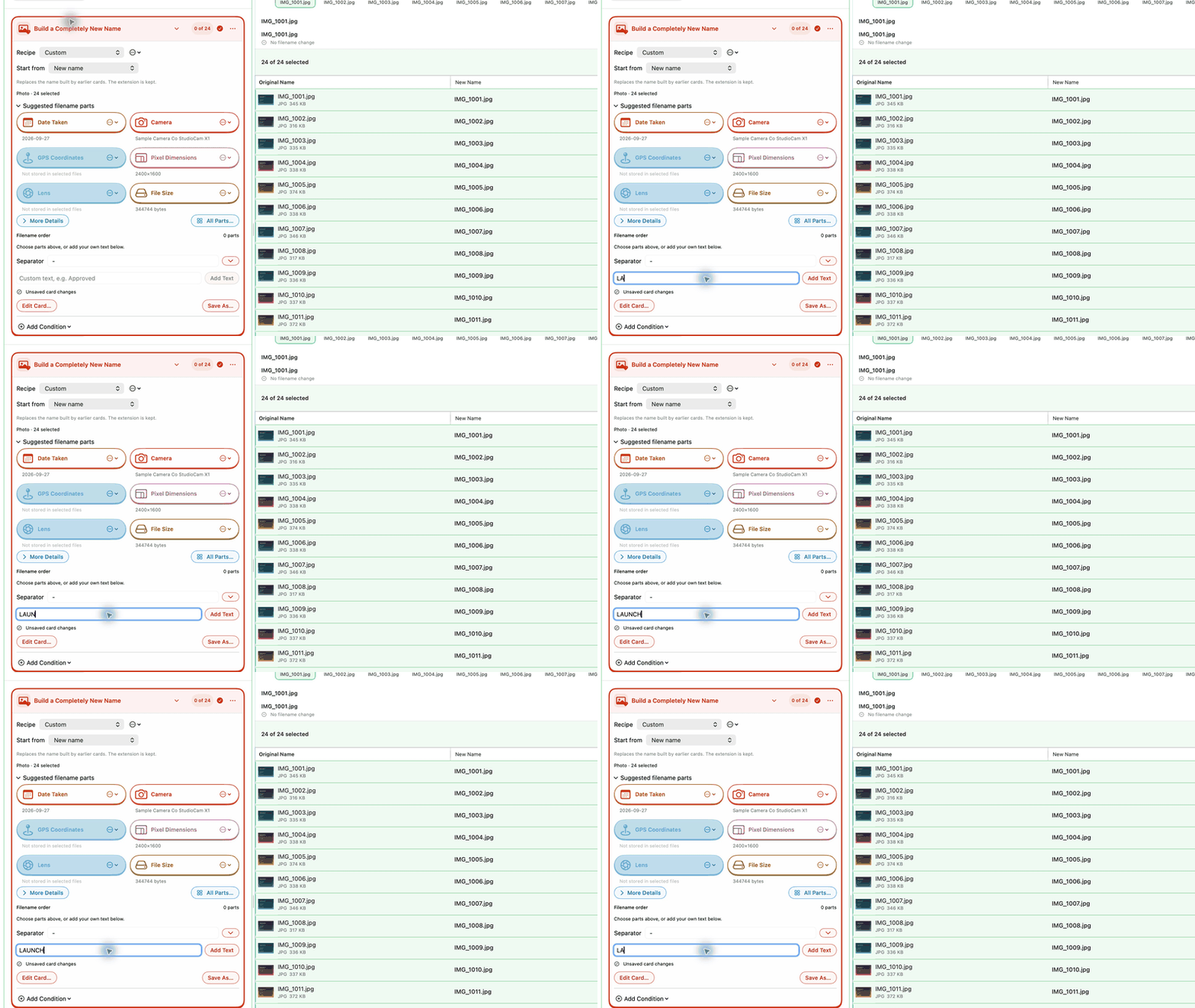
Stack the tools
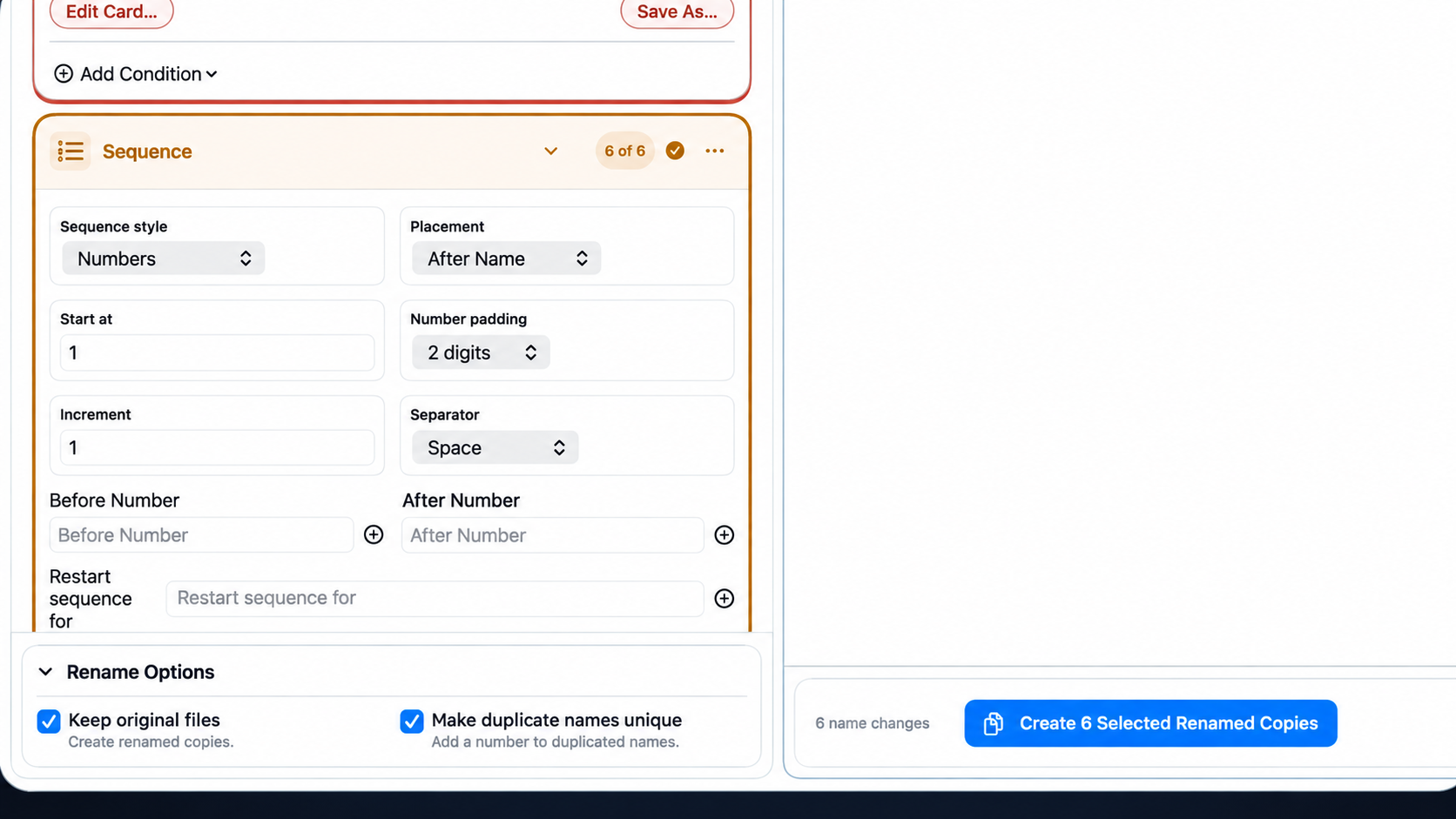
Add Find & Replace, prefixes, suffixes, sequences, metadata, date formatting, case changes and cleaning tools. Put them in the exact order you want, then save the setup as a preset.
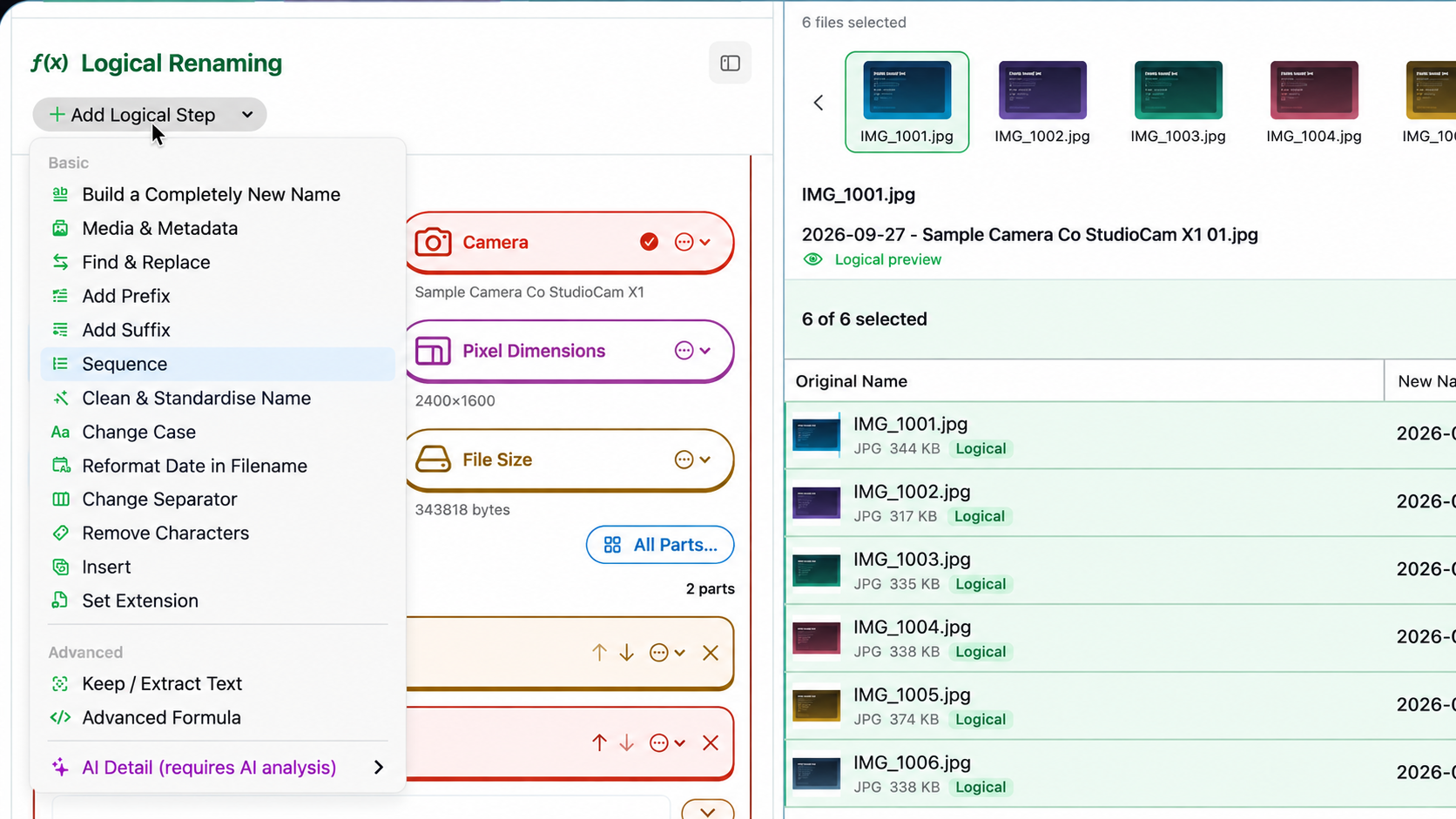
Target the right files
Match by name, type, size, location or date, then preview exactly what will be affected.
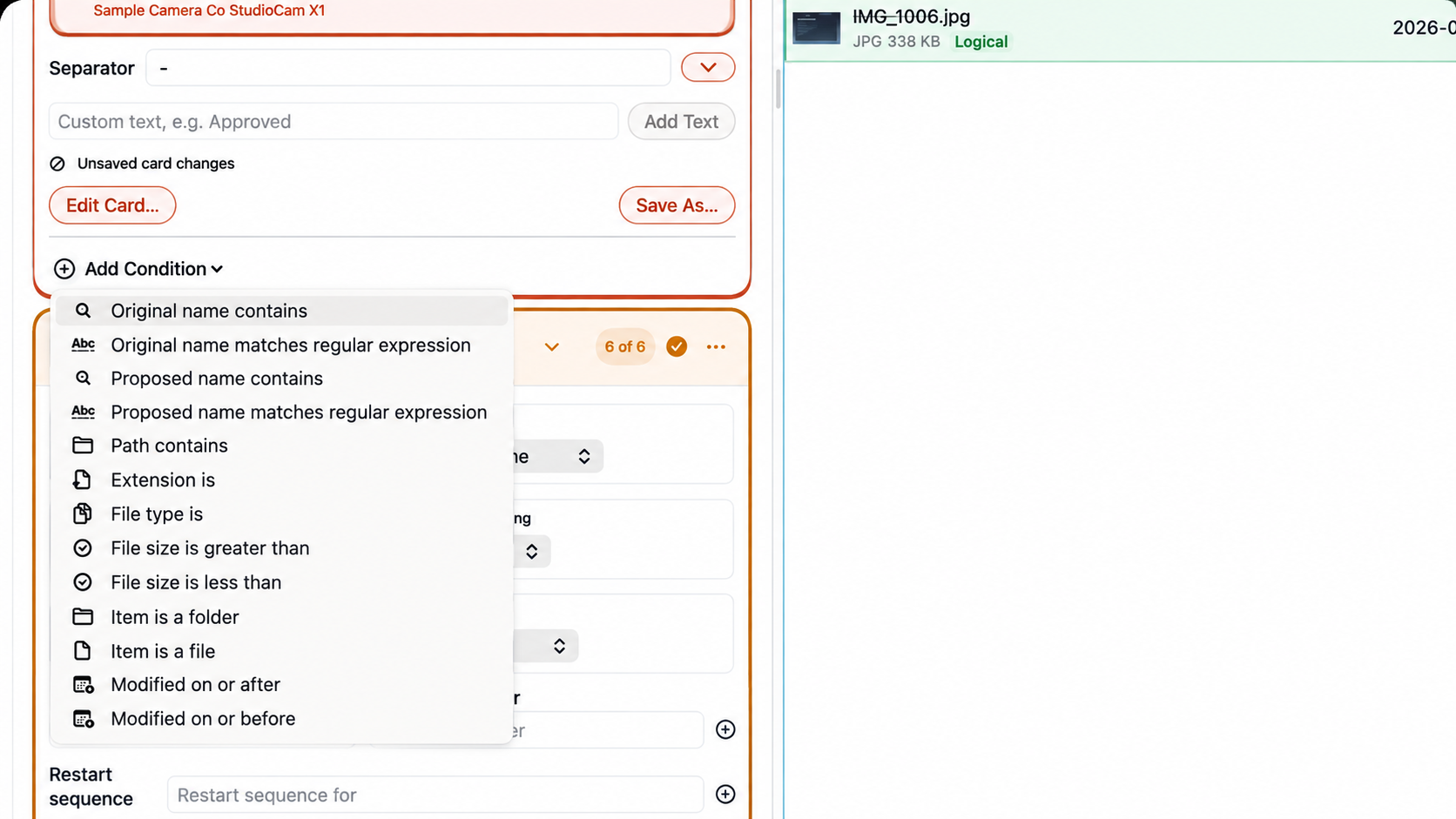
Choose the safe finish
Create renamed copies when source files should remain untouched, make duplicate results unique automatically, and review the complete plan before anything changes.
The finished batch
Every original name stays beside its proposed result, so you can scan the entire batch and fix anything that does not look right before applying it.
 AI Renaming
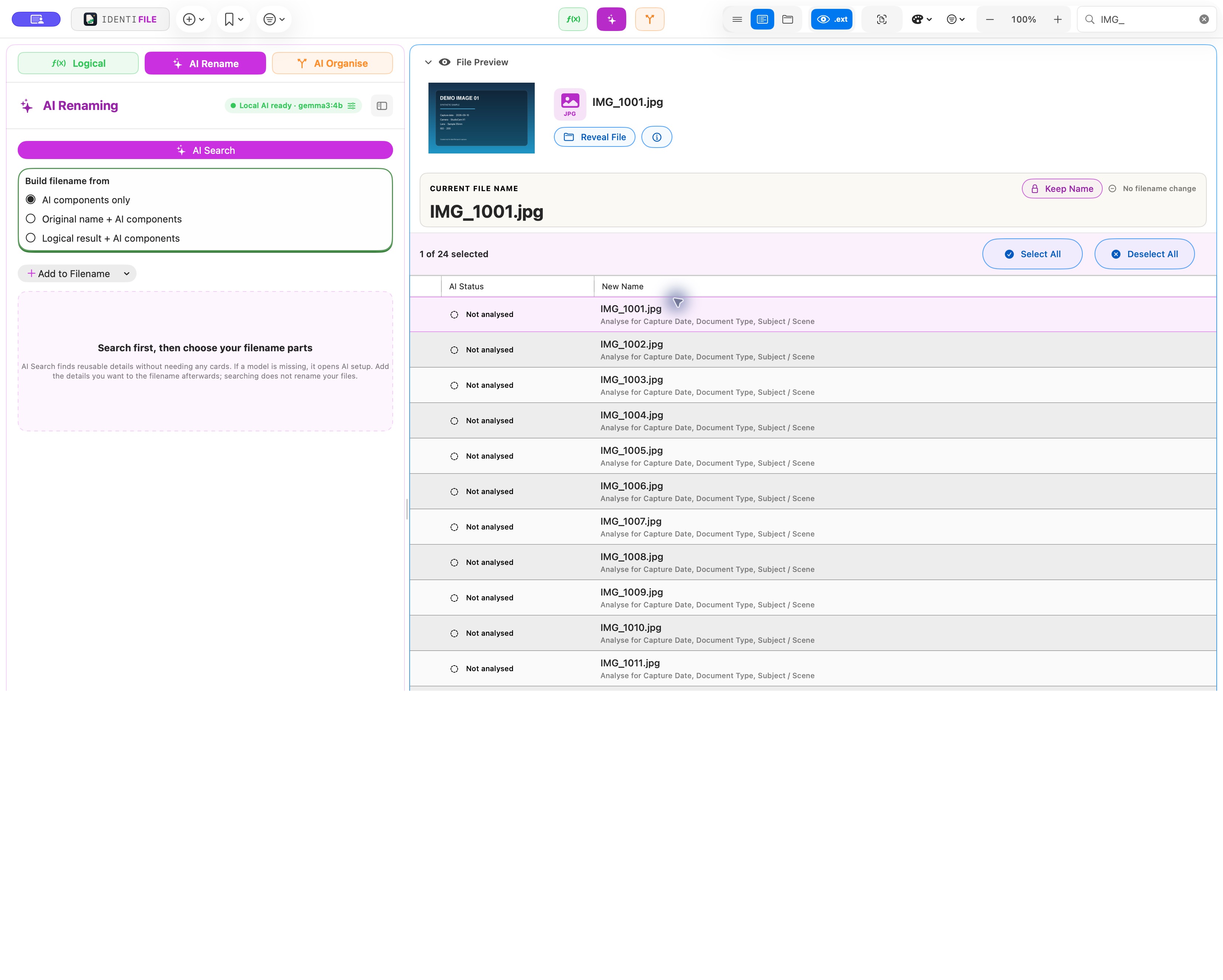
Have Identifile’s AI analyse a photo, invoice or document and suggest a useful filename from the details it finds.
Analyse the file
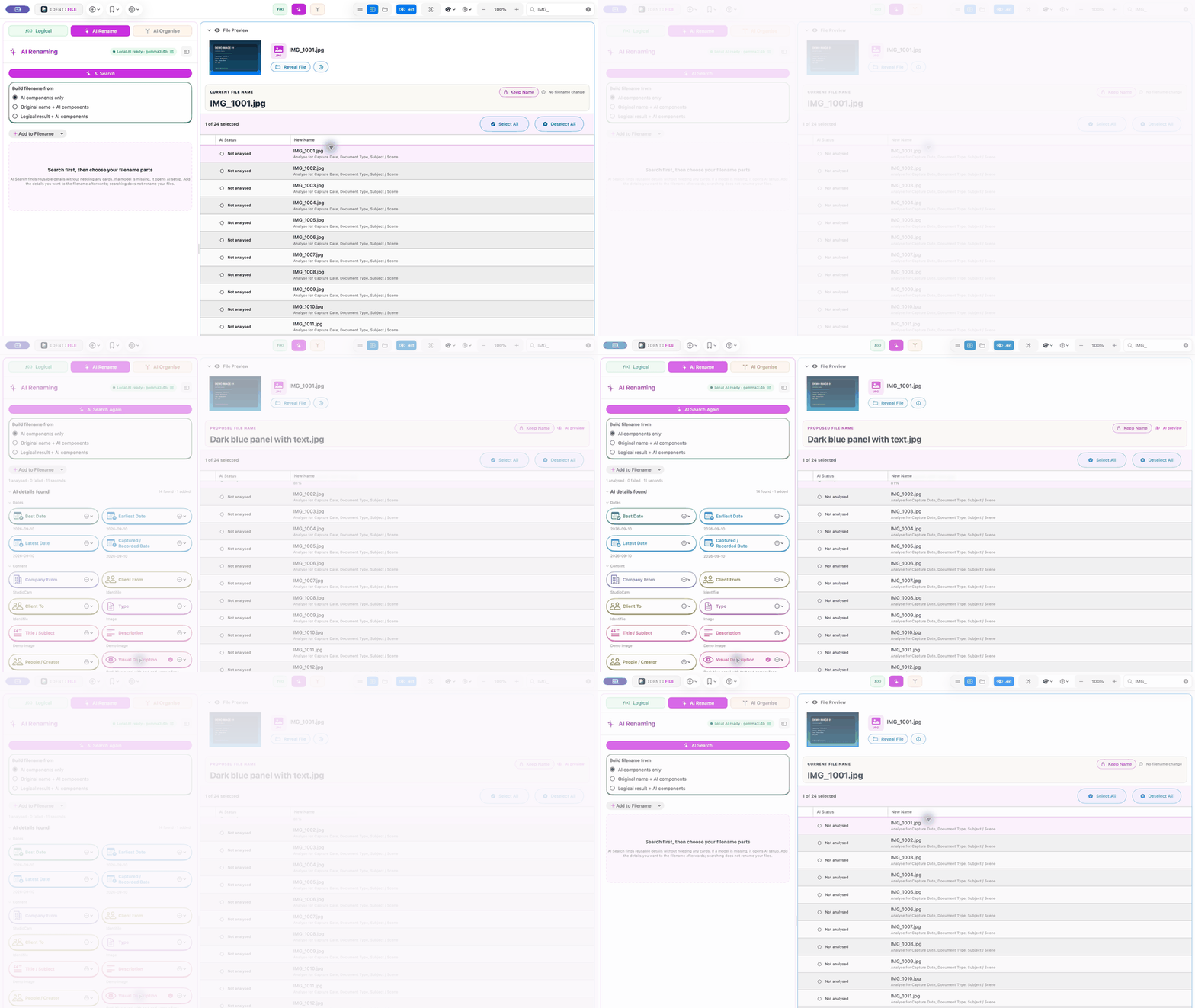
Instead of opening each file and typing the details yourself, run AI Search across the selection. Identifile analyses the content and brings back editable fields you can use.
Review what AI found
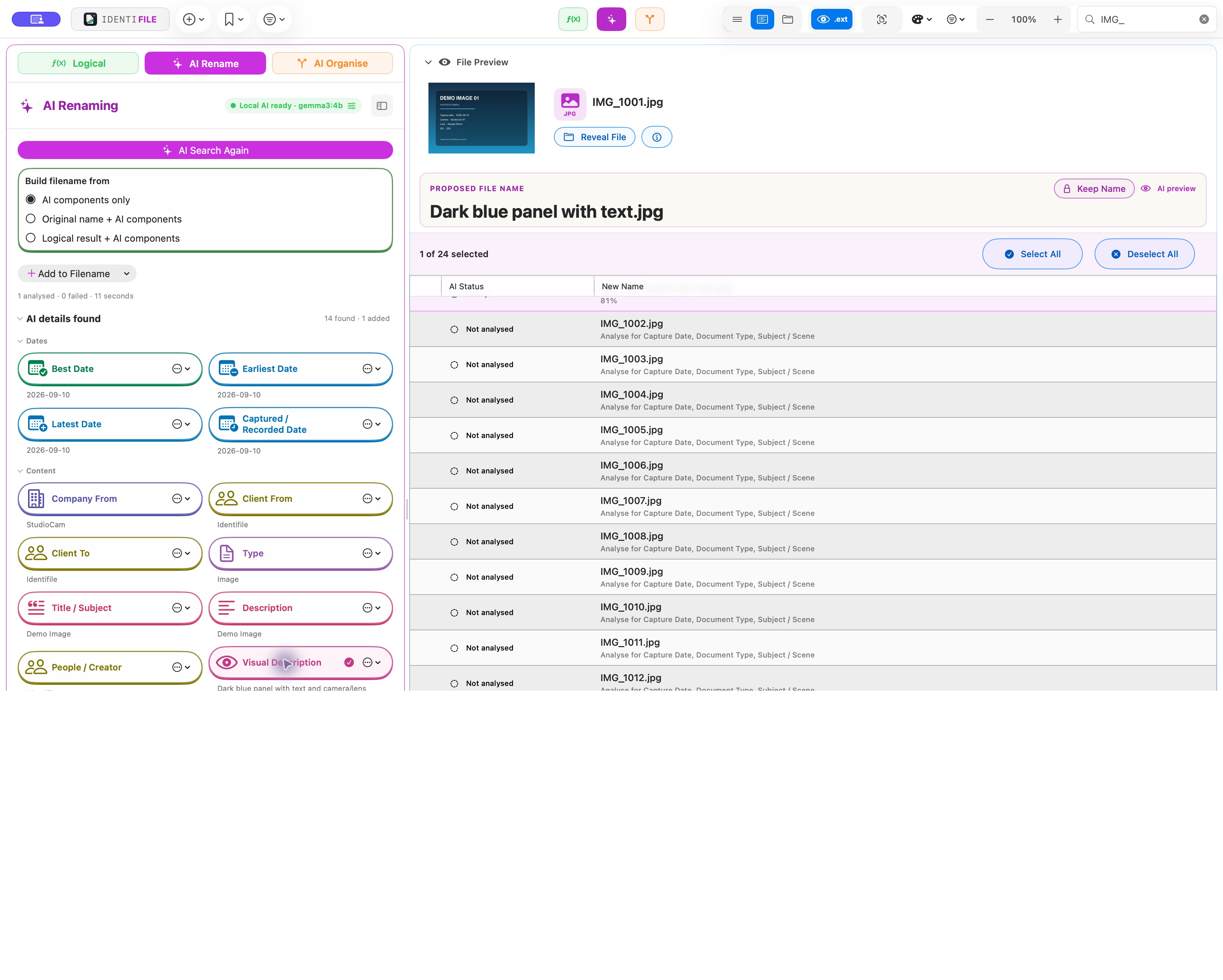
Add only what you want to the filename and see every change live. If you’re unsure, press the Space bar to preview the file’s contents.
Approve the suggestion
Watch the proposed filename update before applying it. Nothing is renamed until you are happy with the result and choose to make the change.
 AI Organise
Identifile uses artificial intelligence to structure your files into useful folders for easier retrieval—then shows you the complete proposal before anything moves.
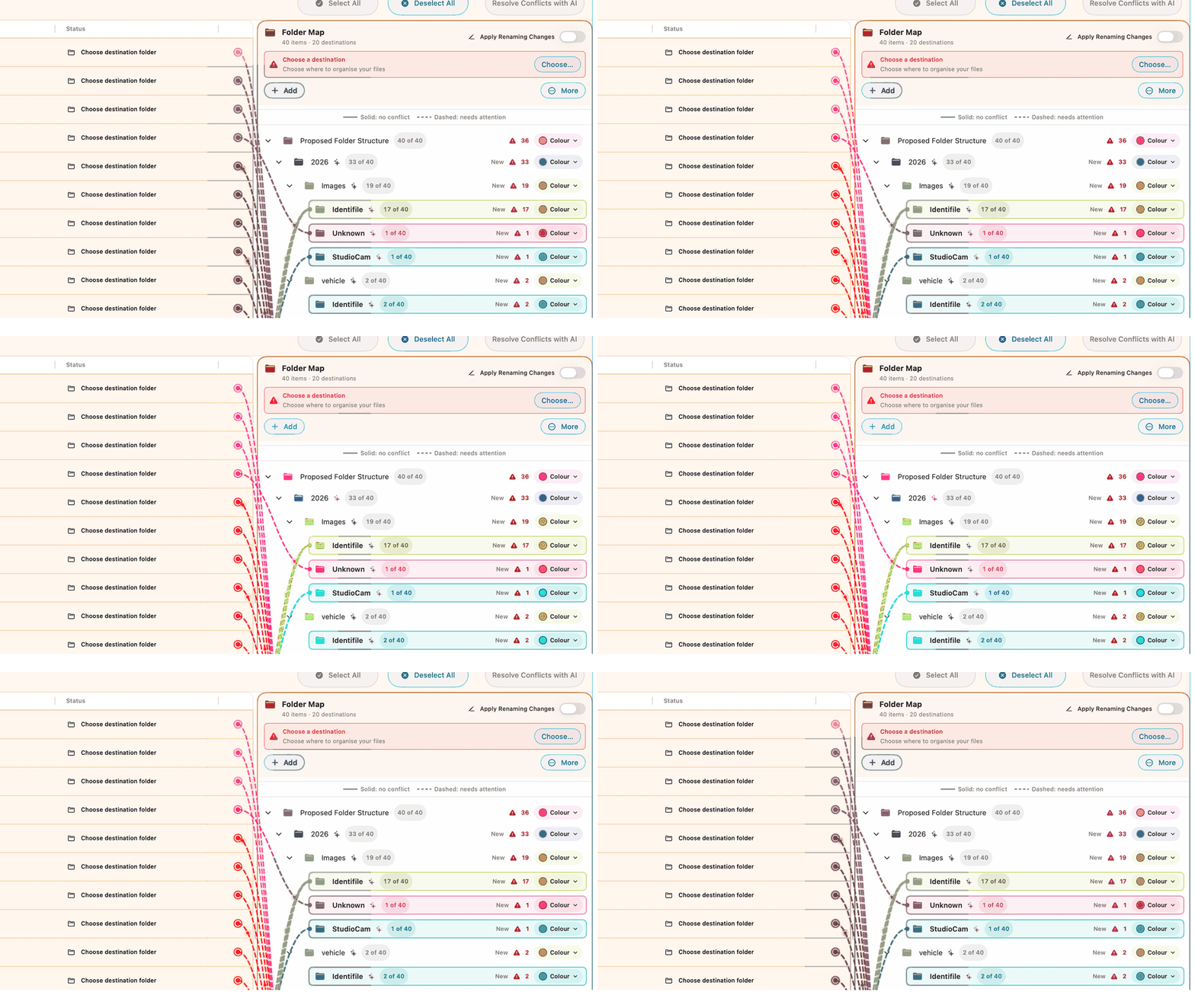
See the plan take shape
Each cable connects a file to its proposed destination. Watch the folder map form, trace every route and see exactly how Identifile plans to organise the collection.
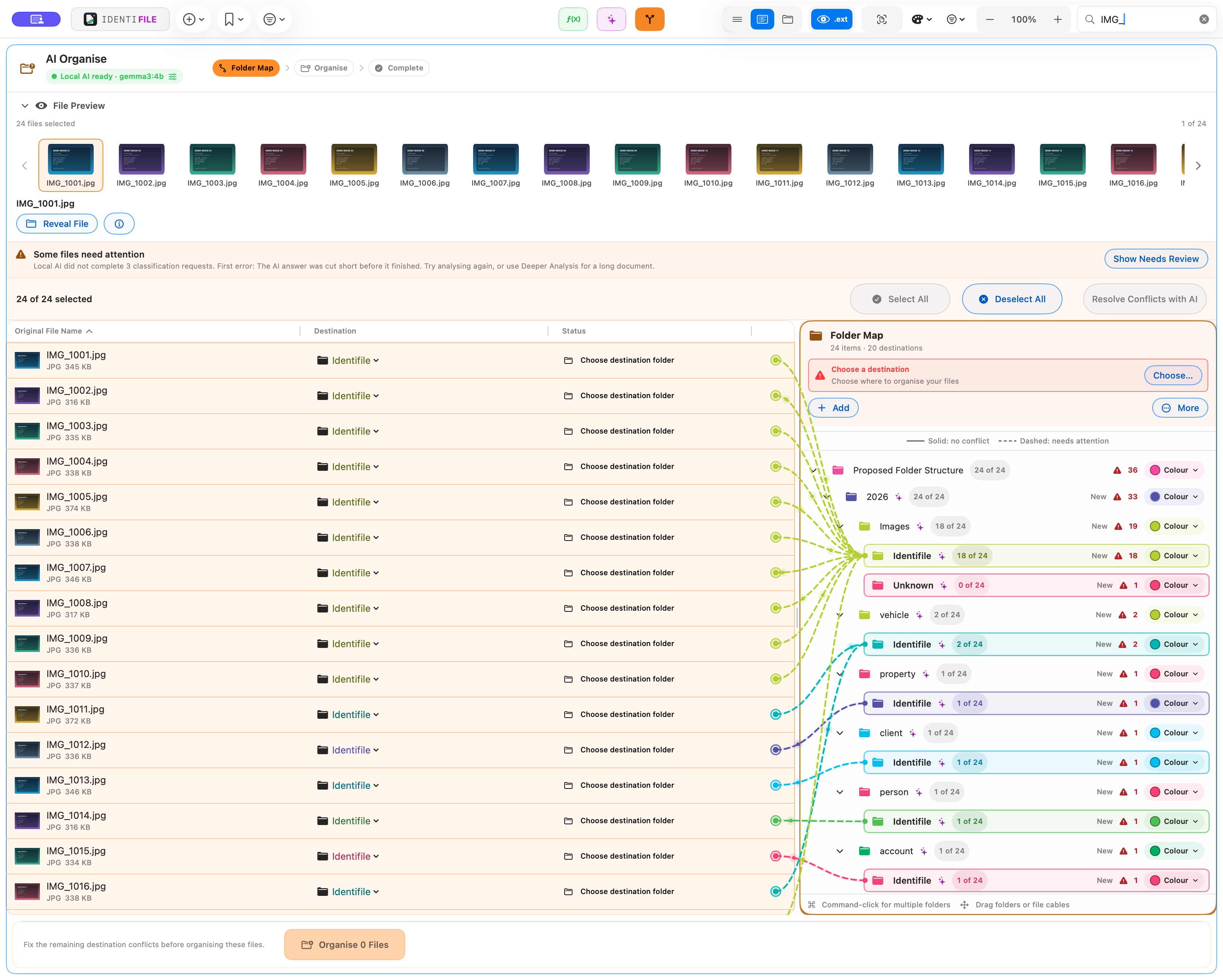
Inspect the destinations
Open the proposed structure, rename folders, change destinations and resolve anything that needs attention. The map stays editable so the organisation fits the way you work.
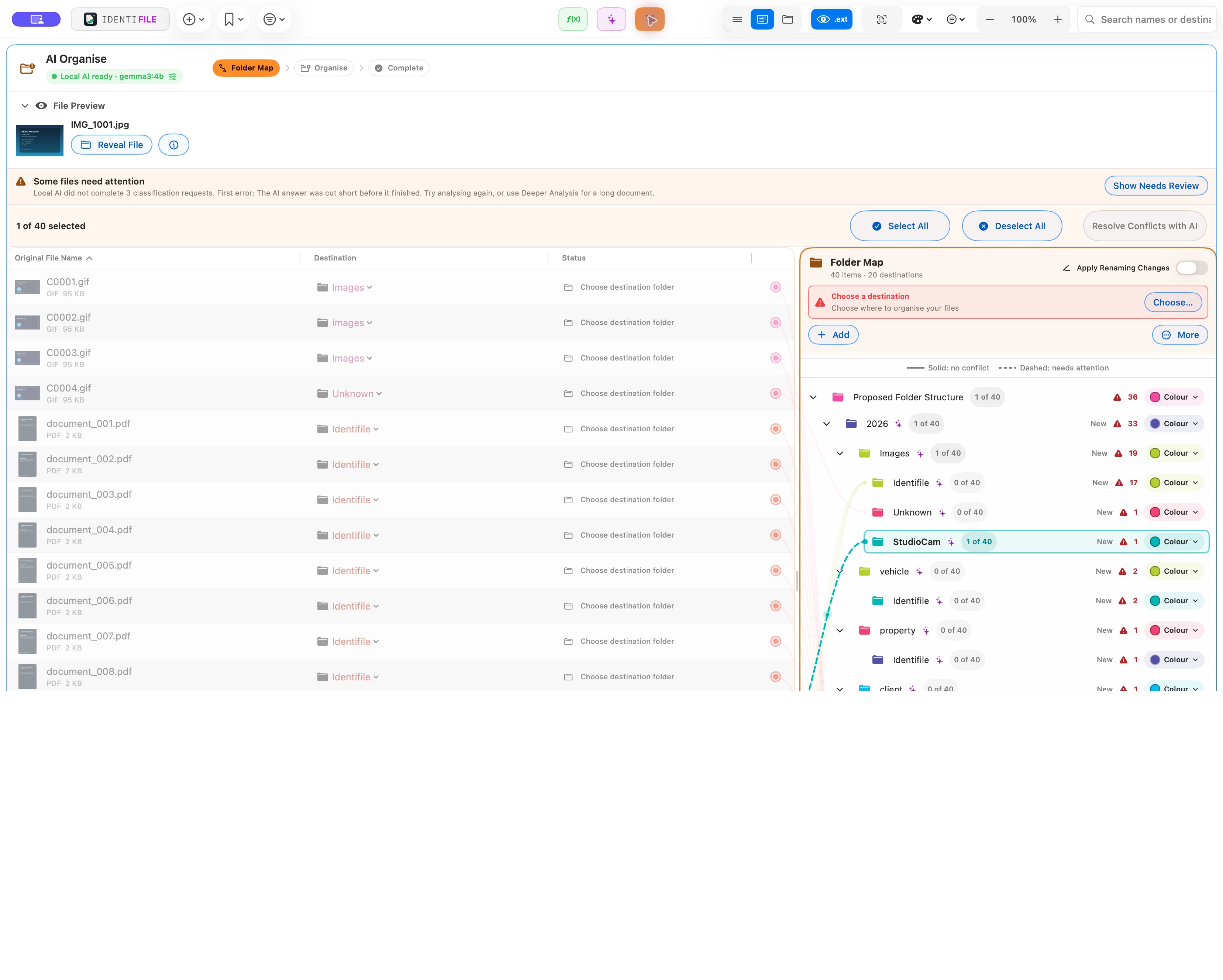
Choose whether to apply it
Review flagged files, adjust the proposal, or leave the collection exactly where it is.
The complete toolkit
Everyone files and works differently, so Identifile lets you create custom workflows that suit the way you work. Mix and match naming tools, arrange each step in the order you need, and save your favourite setups as reusable presets.
Combine custom text, metadata and sequence numbering, then watch the entire batch update as you type.
Change repeated text across the batch.
Add consistent information before or after each name.
Control placement, padding and separators.
Turn inconsistent names into a predictable format.
Make filename and extension case consistent.
Turn dates into the format you need.
Strip unwanted text and make filenames Windows-friendly.
Run a step only when a file matches.
Private by design
With a compatible local model selected, AI Renaming and AI Organise process photos, documents, filenames and metadata on your Mac. Your files and their contents are never uploaded or shared.
Choose a compatible model and keep it installed on your Mac.
With local AI selected, your source files and their contents remain entirely on your Mac.
Filenames and folder plans are created where your files already live.
Inspect every suggestion, edit the result and choose when to apply it.
Fast, without cutting corners
Apply one change across a selection or stack an entire naming workflow. Live previews keep pace, while saved presets make the next batch even faster.
Illustrative estimate only. The final figure will be replaced with a release-build benchmark before publication.
Repeat a workflow without rebuilding it
An Identifile Droplet is a small Mac app created from a saved workflow. Keep it on your Desktop, in Finder or in the Dock. Drag files or folders onto it and Identifile loads them into that same setup—ready to review and run again.
IDENTIFILE DROPLETClient deliverySaved workflowDrop in a new batch. The saved rules, conditions and finish are already waiting.
SAVE ONCE
DROP FILES
REPEAT THE RESULT
Make one for every repeat job: camera cards, invoices, client deliveries, archives or any batch that follows the same naming pattern.
Control at every stage
Undo your work at any stage, or export a PDF report showing the original names, new names, file locations and what changed.
Compare original and proposed names before applying anything.
Create renamed copies when source files should remain untouched.
Step back from a change at any stage.
Keep original names, new names, file locations and changes together.
Make matching results unique automatically.
IDENTIFILECHANGE REPORT
Complete record of the approved filename changes.
Practical details about buying, compatibility, privacy and staying in control of every change.
Identifile is coming to the Mac App Store. The purchase link will be added here as soon as the listing is live.
Final pricing, licence coverage and upgrade terms have not been announced yet. They will be published here before launch so you can review the full terms before buying.
Identifile is built for macOS 14.4 or later. The launch version is for Mac; a Windows version is on the roadmap.
No. Logical Renaming gives you a complete, precise workflow without AI. AI Renaming and AI Organise are additional options when file content can help.
Yes. Choose to create renamed copies when the source material should remain untouched.
Yes. You can undo your work at any stage if you need to step back.
Identifile can make duplicate resulting names unique automatically, so one result does not replace another.
Yes. Save your preferred combination of naming steps as a reusable preset for the next batch.
A Droplet is a small Mac app created from a saved Identifile workflow. Drag files or folders onto it to load them into that same setup, ready to review and run again.
Keep a Droplet on your Desktop, in Finder or in the Dock for each recurring job. A camera card, client delivery, invoice batch or archive can return to the right naming setup without rebuilding every step.
Yes. Export a PDF showing original names, new names, file locations and what changed.
No. With local AI selected, analysis runs on your Mac and your source files and their contents remain entirely on your machine.
Clear the file admin
Build the workflow, check every result and make the change when you’re ready.